
Tips for Creating a Cozy and Functional Home Workspace
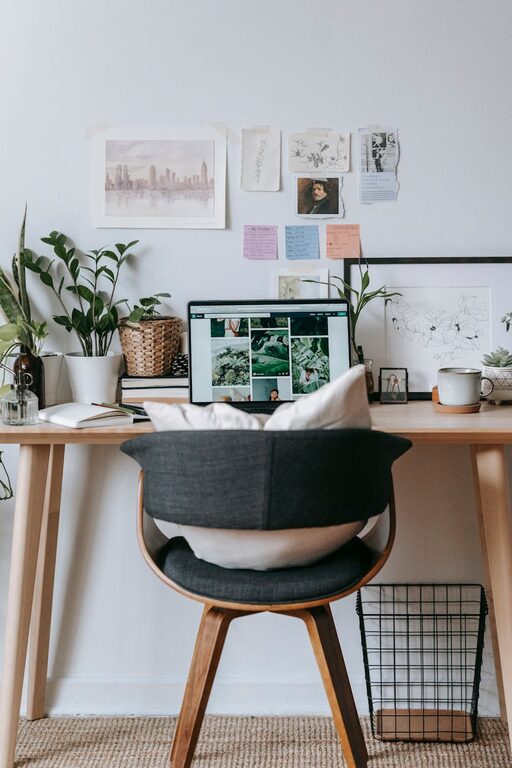
Creating a cozy and functional home workspace is essential for anyone working remotely or handling tasks at home. A well-designed space can boost your productivity, reduce stress, and make your workdays more enjoyable. Whether you have a dedicated room or just a small corner, applying some simple strategies can transform your area into an inviting and efficient workspace.
Choose the Right Location
Selecting the perfect spot in your home is the first step. Ideally, find a quiet area with minimal distractions where you can concentrate. Natural light is a huge plus—it not only makes the space more pleasant but also helps reduce eye strain.
– Near a window: If possible, set your desk close to a window to enjoy natural daylight.
– Away from noise: Choose a space away from high-traffic areas like the kitchen or living room.
– Sufficient space: Make sure the spot has enough room for your desk, chair, and storage needs.
Invest in Comfortable Office Furniture
Comfort is key when spending long hours working. Investing in ergonomic furniture can prevent aches and improve focus.
– Ergonomic chair: Look for a chair that supports your lower back and allows you to sit with feet flat on the floor.
– Adjustable desk: Consider a height-adjustable desk or one with enough space to accommodate your work essentials.
– Proper desk height: Your desk should allow your arms to rest comfortably at a 90-degree angle while typing.
Optimize Your Lighting
Good lighting improves visibility and mood.
– Natural light: Maximize sunlight during the day.
– Task lighting: Use a desk lamp to provide focused light on your work area.
– Ambient lighting: Consider soft overhead lighting to reduce harsh shadows.
Organize with Storage Solutions
Keeping your workspace clutter-free helps maintain focus and promotes efficiency.
– Shelves and cabinets: Use vertical storage to save floor space.
– Drawer organizers: Separate small items like pens, clips, and chargers.
– Cable management: Use clips or sleeves to keep cords tidy and prevent tangling.
Add Personal Touches
Personalizing your workspace makes it inviting and boosts your mood.
– Plants: Add small indoor plants; they improve air quality and create a calming atmosphere.
– Artwork or photos: Hang or place images that inspire you.
– Desk accessories: Choose organizers, mousepads, or calendars that suit your style.
Minimize Distractions
Creating boundaries helps you stay focused.
– Dedicated workspace: Use the area only for work to train your brain to associate it with productivity.
– Noise-canceling headphones: These can help block out background noise.
– Clear boundaries: Inform family members or roommates about your work schedule to avoid interruptions.
Maintain Good Posture and Take Breaks
Ergonomics isn’t just about furniture—it also includes how you use your workspace.
– Proper posture: Sit upright with your back supported and feet flat.
– Screen height: Position your monitor so the top of the screen is at eye level.
– Regular breaks: Follow the 20-20-20 rule—every 20 minutes, look at something 20 feet away for 20 seconds to reduce eye strain.
Incorporate Technology Wisely
Technology can enhance your workflow if organized properly.
– Reliable internet connection: Ensure a strong Wi-Fi signal or use an Ethernet cable.
– Wireless devices: Wireless keyboards and mice reduce clutter.
– Multiple monitors: If your work requires multitasking, adding a second screen can improve efficiency.
– Softwares and apps: Use organizational tools like calendars, task managers, or note-taking apps to keep track of your work.
Keep It Clean and Refreshing
A tidy space feels welcoming and productive.
– Daily cleanup: Spend a few minutes at the end of each day clearing your desk.
– Weekly deep clean: Dust surfaces and vacuum or mop the floor regularly.
– Fresh air: Open windows when possible to circulate fresh air.
Plan Your Workspace Layout Thoughtfully
The layout impacts comfort and productivity.
– Easy access: Keep frequently used items within arm’s reach.
– Comfort zone: Arrange your desk and chair for easy movement.
– Dual zones: If space allows, separate your work area from relaxation zones to help separate work from personal life.
—
By following these tips, you can create a home workspace that is both cozy and functional. A thoughtfully designed area helps you stay comfortable and focused, making your work-from-home experience more productive and enjoyable. Remember, the best workspace is one that fits your personal needs and fosters a positive work mindset.
Related Post
Tips for Creating a Cozy and Inviting Home Office Space
Discover simple, effective ways to transform your home office into a cozy, inviting spot that [...]

Tips for Organizing a Clutter-Free and Productive Home Workspace
Discover practical tips to create a clutter-free and productive home workspace that boosts focus and [...]
Tips for Creating a Relaxing Home Workspace to Boost Productivity
Discover practical tips to design a calm and comfortable home workspace that enhances focus and [...]